Hundreds of routes, no way to compare
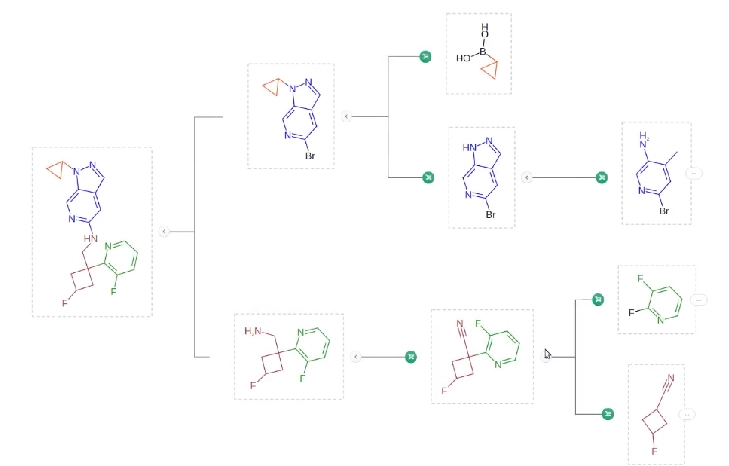
Here is how retrosynthesis worked in Molecule.One: a chemist draws the target molecule on the left of the screen, and the software, with the help of machine learning, designs a synthesis path to reach it. But there is no single best solution, so users had to browse many branches to reach a result. There was also no direct comparison view: people switched between trees, screens and tabs, and finding the right route could take hours.
How we explored it
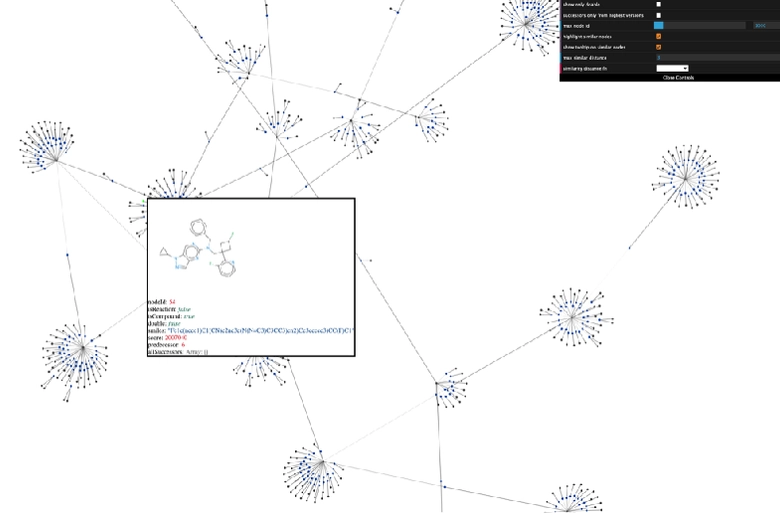
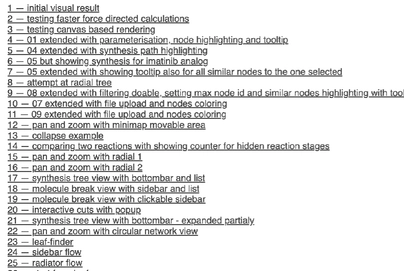
We started with the data. A zoomable map of every synthesis tree for one target showed that most trees share large parts of their paths and that the same molecule can appear in many places. A series of 25 quick code prototypes followed; in some, the tree was built step by step from the solution instead of shown whole. A second explorer on real data revealed a chemical link: the way the target molecule is cut determines which starting materials it needs.
The inverted flow
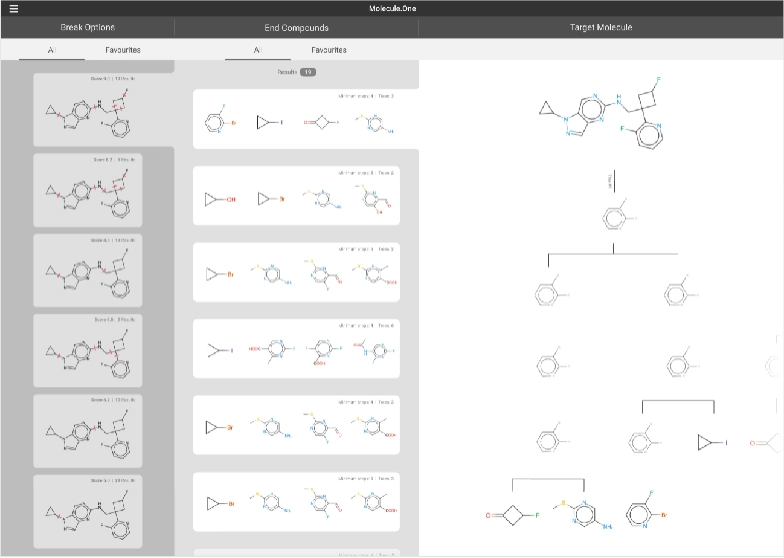
Using what we learned, we designed an inverted user flow: the chemist starts not with a broad overview but by drilling into solutions. The order follows the chemistry we found in the data: how the target molecule is cut decides the starting materials, and the starting materials decide which routes remain.
The proposal has three columns, following the Miller columns pattern. The left column shows different ways to cut the target molecule, each marked in its own color. After choosing the most promising cut, the chemist browses the matching starting materials in the second column. That choice sets the final group of synthesis trees in the third column, where they can be compared and saved to a separate list.
Instead of switching between hundreds of trees for hours, the chemist narrows them down in two steps that make chemical sense, to a set of routes that can be compared side by side.